Start playing
About Gacha Life
Start here if you want the classic Gacha Life loop: make an OC, stage a scene, collect gems and move between Life Mode, Studio Mode and mini-games.
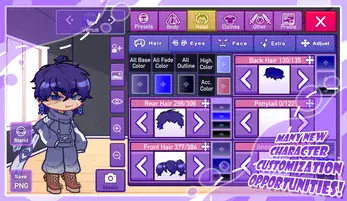
Lunime describes Gacha Life PC as a Windows demo where you customize characters with hairstyles, clothes, weapons and more, then place up to eight characters in Studio Mode.
The Google Play listing adds the full mobile loop: create characters, choose story backgrounds, explore areas like the town and school in Life Mode, chat with NPCs, play eight mini-games and collect more than 100 gifts.
Use the browser player here for quick access, and use the official source links below when you want the Android listing or Lunime PC download page.
Gacha Life features
- Anime-style character creator with clothes, hairstyles, weapons, poses and accessories.
- Studio Mode for custom scenes, dialogue and story screenshots.
- Life Mode areas, NPC conversations, eight mini-games and more than 100 collectible gifts on mobile.
- Official Windows PC demo available from Lunime's itch.io page.
How to play Gacha Life on GachaPlay
- Click Play Gacha Life when you are ready. The game area loads inside this page after your click.
- If the player opens slowly, give Ruffle a moment to load before pressing controls.
- After playing, try Gacha Club for a bigger studio-and-battle follow-up, or browse Gacha Nebula and Gacha Star for mod pages.
Quick facts about Gacha Life
Status
Released
Platforms
Android, iOS, Windows PC demo
Category
Dress-up, studio, life sim, mini-games
Publisher / creator
Lunime
The itch.io PC page notes a January 24, 2020 update; Google Play lists an August 15, 2023 update.
Official pages and safer download notes
Use these links to check the original listing, platform details, creator credits and download warnings before installing anything outside the browser.